 MENU
MENU



ITS Updates — MRU system status
MRU's system status page gives you real-time updates on system performance issues.
If you need assistance, please contact the ITS Service Desk 403.440.6000 or log in to request support.
System notifications
Restoration work continues
Restoration work following the recent cyber incident at Mount Royal is ongoing. For questions directly related to the recent cyber incident, visit the Updates and Supports page, which includes the latest information on systems restoration and an FAQ resource.
Friday, Sept. 4: Phishing alert: Do not click suspicious link
A phishing email is currently spreading through MRU email accounts. Initial emails include a request to click on a voicemail message.
The message may appear to come from a legitimate MRU email address, making it look trustworthy. However, it contains a malicious link designed to capture your MRU login information.
If you receive the email:
- Do not click the link or enter your MRU username or password.
- Report the message as phishing in Gmail using More (three dots) > Report phishing.
- Delete the email.

If you clicked the link
If you clicked the link and entered your MRU credentials, your account will be locked to protect it from further unauthorized access. If this happens, you will no longer be able to access your MRU email and other services that require your mtroyal.ca log in.
To restore your account
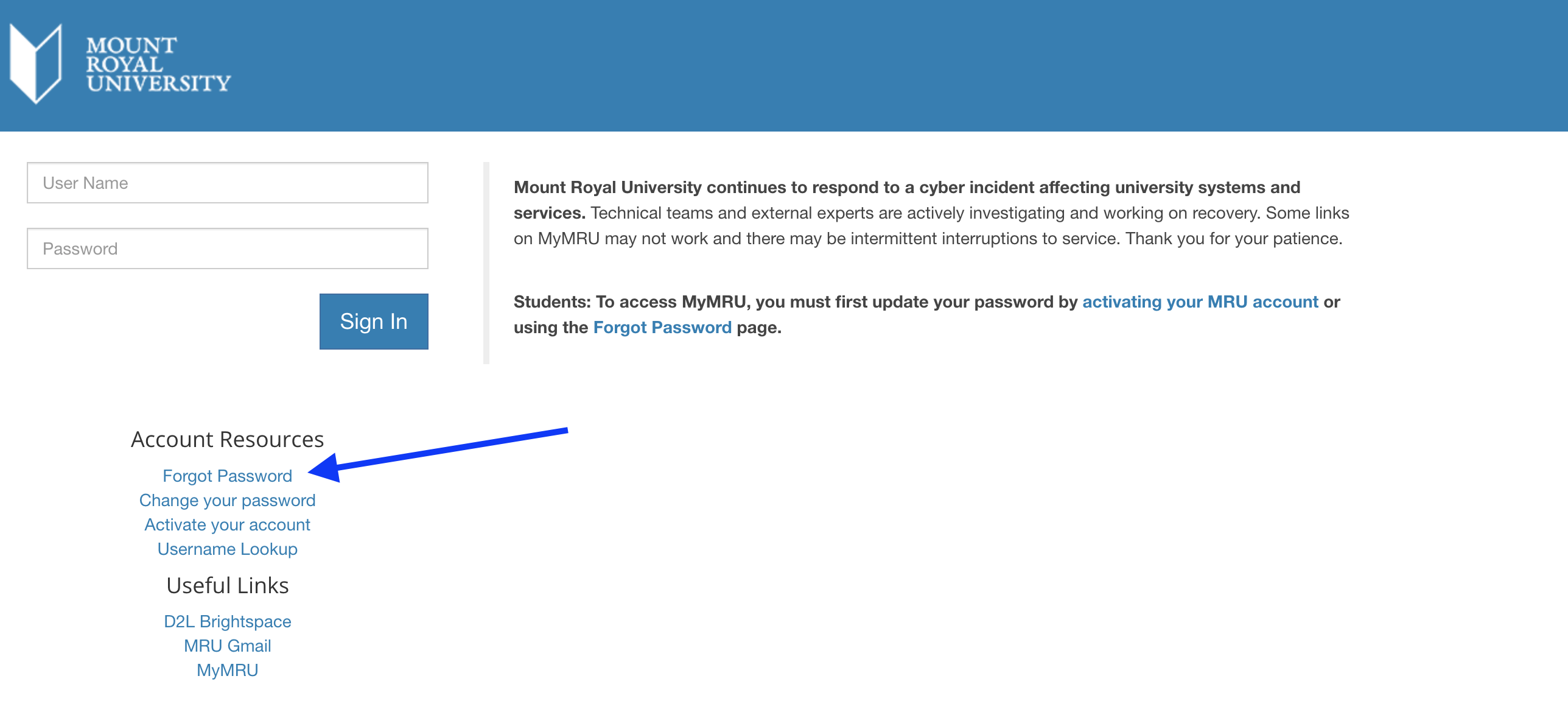
Visit the MyMRU.ca log in page, and click “Forgot Password.”
On the next page, enter your information, including your Mount Royal employee/student ID number, found on your OneCard. Then, reset your password. Learn more about creating a strong password.
Next steps
Please be particularly cautious with unexpected emails asking you to click a link or sign in — even when the message appears to come from someone you know or a legitimate MRU email address.
ITS is actively responding to the issue. Thank you for your attention and for helping protect MRU’s systems and information.