MENU
MENU



Small changes, big impact: accessibility tips series
What if a few small changes to how we communicate could remove barriers and create more inclusive learning and working environments?
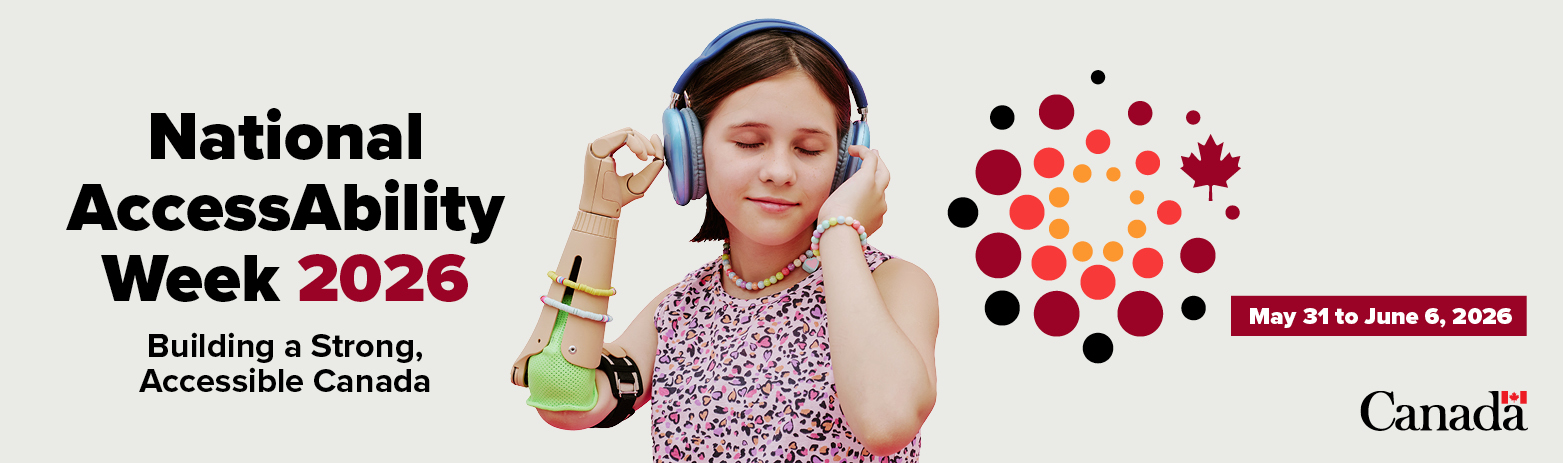
To celebrate National AccessAbility Week (May 31 to June 6, 2026), a cross-institutional group of educators and accessibility champions launched a collaborative Accessibility Tips Series. This seven-day series focused on Accessible Communication, with practical, easy-to-apply tips for communicating through emails, meetings, documents, surveys, and presentations to reduce barriers, strengthen accessibility and broaden inclusion across higher education and beyond.
Email communication is a common form of communication between students, instructors, and staff. Whether responding to questions, sharing information, or providing support, accessible emails help ensure clear and accurate communication between senders and recipients.
Accessible emails support not only people with disabilities, but they are a benefit to everyone. Here are some tips to help you make your emails more accessible.
Write clearly and inclusively
- Use plain language that is easy to understand on the first read
- Keep sentences short and focused
- Avoid jargon or idioms; define key terms when needed
- Use clear, descriptive subject lines to communicate the email's purpose
- Write in a direct, supportive tone
Use structure to organize content clearly
- Structure content in a logical order for easy reading
- Use headings, bullet points, and short paragraphs
- Group related information together
- Put key information at the top
- Avoid long, dense blocks of text
Use meaningful text for links and text
- Use descriptive text for links (e.g., “Download the syllabus”)
- Avoid “click here” and long, pasted URLs
- Include essential information in the email body (not only in attachments or images)
- Clearly describe attachments and their purpose
Design for readability
- Use simple layouts (e.g., single column)
- Choose readable fonts (e.g., Arial, Calibri) in 12 pt or larger
- Ensure strong contrast between text and background (e.g., dark text on a light background)
- Do not rely on colour alone to convey meaning
Check accessibility before sending
- Add alternative text (alt text) or image descriptions to all images
- Avoid flashing or animated content
Impact
Accessible emails:
- Reduces cognitive load and supports accessibility for recipients
- Improves access for recipients using screen readers or other assistive technology
- Supports multilingual recipients
- Makes messages easier to read on mobile devices
- Improves clarity, efficiency, and recipient responses
Learn More
- Making Accessible Emails | Government of Canada
- Email Accessibility Best Practices | Accessible.org
- 2026 Guide to Creating Accessible Emails | Litmus
- Creating Accessible Email | Johns Hopkins University
Ensure written communication is accessible for your email recipients by using one or more of these tips.
Have you ever thought about how your survey design might be shaping who does and doesn’t respond? Inaccessible surveys can exclude individuals and limit the story told by their data. The tips provided below are not exhaustive but are meant as a starting point for improving your survey design.
Keep questions concise and direct
- Avoid jargon and acronyms
- Ask only one thing at a time
- Test questions with pilot users before launching the survey
Use inclusive and respectful language
Use gender-inclusive language
- Avoid stereotypes
- Avoid deficit-based language
- Allow respondents to self-describe identities
Provide accessible formatting
- Choose readable fonts (e.g., Calibri, Verdana, Arial)
- Choose an appropriate font size (e.g., at least 12pt)
- Use headings to organize sections and questions
- Keep the layout simple and consistent
Make surveys compatible with assistive technology
- Use survey software that supports screen readers and keyboard navigation
- Avoid relying on hover actions and drag-and-drop responses
- Test whether the survey can be completed with only a keyboard
Consider different devices
- Use simple layouts
- Avoid large matrix tables
- Consider the amount of scrolling required
- Include large buttons that are easy to tap
- Test the survey on different devices
Impact
- Improves response quality: Clear, concise questions make it easier for respondents to understand what’s being asked, resulting in more accurate and reliable answers
- Supports inclusive participation: Respectful, inclusive language helps people feel recognized and comfortable, reducing the risk of excluding or misrepresenting diverse identities and experiences
Reduces confusion and drop-off: Accessible formatting makes surveys easier to read and navigate, minimizing frustration and survey abandonment - Enables equitable access: People using assistive technologies can fully participate when surveys are designed accessibly, ensuring their perspectives are not excluded from data collection
- Expands reach across devices: Designing with mobile and other devices in mind allows more people to complete surveys in ways that work best for them
Raise the issue of survey accessibility whenever survey discussions arise. Making accessibility part of the conversation is the first step toward making it part of the action plan.
All Canadians have the right to fully take part in society. Statistics Canada reports 27% of Canadians (~8 million people aged 15 and over) who live with at least one disability. The following 5 tips offer a starting point for improving inclusion and access during in-person communications.
Engage directly with an individual as opposed to with their support person
- When interpreters or support workers (e.g., sign language interpreters, communication assistants, note-takers) are present, address your communication to the individual, maintaining eye contact with them rather than the support person
- Pause regularly to allow time for interpretation or processing, especially in group discussions
Adapt positioning for respectful interactions
- During an extended conversation with someone using a wheelchair, scooter, or seated walker, consider sitting to communicate at eye level and support a more comfortable, respectful interaction
Use respectful approaches with people who have vision loss
- When approaching someone with vision loss, introduce yourself by name and wait for them to offer their hand to be shaken
- In a group setting, address the person by their name so they know you’re talking to them (e.g., “Hi Mallory, Teddi speaking. I wonder...”)
- Offer assistance, but do not assume it is needed; wait for consent before providing support (e.g., guiding someone)
- Use clear, directional language when needed (e.g., “to your left,” rather than “over there”)
Be clear and specific in communications
- Communicate clearly and directly. For example, instead of asking, “Can you handle this task soon?” consider asking, “Can you complete this task by 3:00 PM today?”
- Provide specific, explicit instructions rather than vague, ambiguous, or implied instructions.
- Break complex instructions into smaller steps, especially in multi-step tasks or directions
- Use plain language and avoid jargon or idioms where possible
Incorporate inclusive self-introductions
- Offer a brief visual description of yourself
- Clearly state your name before speaking, especially in group settings, to support individuals who are blind, have low vision, or rely on voice recognition
- Where relevant, describe your role or relationship to the group (e.g., facilitator, instructor, participant) to provide context
- When appropriate, briefly orient others to the space (e.g., seating layout, notable features) to support navigation and situational awareness
- Be mindful of sensory considerations (e.g., speak at an appropriate volume, avoid strong scents) to reduce barriers for others
Impact
- Promotes respectful, person-centred communication
- Supports comfort and dignity in interactions
- Improves clarity and understanding
- Includes people with diverse communication needs
- Reduces misunderstandings and cognitive load
- Creates more accessible group environments
Learn More
- About an Accessible Canada | Canada.ca
- Tips for Working with Sign Language Interpreters | Asign
- Accessible Communication Supports | McMaster Accessibility Hub
- Be Natural! 4 Common Courtesies to Offer People Who Are Blind | CNIB
- Effective Communication in a Neurodiverse Workplace: Tips for Neurotypicals | Neurodiversity Training Institute
- How to Make Accessible, Inclusive Self-Introductions | Disability & Philanthropy Forum
Across Canada, 5.2 million people reported difficulty accessing print materials on the 2023 Survey of Accessible Print Materials (Government of Canada, 2023). By designing with accessibility in mind, materials that are easier for everyone to read, navigate, and understand can be created. Here are 5 tips for creating accessible documents.
Use a clear and consistent heading structure
- Use built-in heading styles (e.g., Heading 1, Heading 2)
- Avoid manually formatting headings (e.g., bolding or enlarging text only)
- Organize content so it can be easily navigated
- Structure content in a logical hierarchy
Choose a font that is easy to read
- Use sans-serif fonts such as Arial, Verdana, or Calibri
- Avoid decorative or complex fonts
- Ensure text remains readable when zoomed or magnified
Align text to support readability
- Use left-aligned text for body content
- Avoid fully justified text formatting
- Use adequate line spacing (e.g., 1.15 to 1.5)
- Keep spacing between words consistent
- Avoid using line breaks to control spacing. Instead, use proper paragraph spacing
Do not use colour alone to convey meaning
- Ensure meaning is accessible regardless of how colour is perceived
- Combine colour with text labels, patterns or formatting, and clear wording to allow colour blind individuals and screen readers to distinguish between different cues in the text
Add concise and meaningful Alt Text to images
- Write brief descriptions that convey the purpose of the image
- Include relevant context, not just visual details
- Review and edit auto-generated alt text for accuracy
Impact
- Improves navigation and usability
- Enhances readability for diverse users
- Supports users with low vision: Readable layouts and scalable text remain clear when magnified or zoomed
- Reduces cognitive load and reading fatigue
- Ensures access beyond visual cues: Information is still understood by people who cannot perceive colour or who use assistive technologies
- Provides equivalent access to visual content
Incorporate one or more of these tips to create accessible documents and ensure better access to information.
Learn more
- Accessible Design Principles | Toronto Metropolitan University
- How To Create Accessible Documents | Government of Canada
- Alternative Text and Long Description Best Practices | Government of Canada
References
Government of Canada, S. C. (2023, October 3). Print material accessibility in Canada, 2023. https://www150.statcan.gc.ca/n1/pub/89-654-x/89-654-x2023003-eng.htm
“Accessible meeting practices have made a huge difference for me. Receiving the agenda in advance helps me prepare and participate more confidently, and having different ways to contribute means I can engage in the way that works best for me. Built-in pauses and clear follow-ups also make it easier to process information and stay involved in discussions. These practices make meetings feel more inclusive, accessible, and productive for everyone.”
- Nettie Wong, Manager of Academic Supports & Initiatives, NorQuest College
Share a clear agenda in advance of the meeting
- Include in the agenda:
- Participants’ names, roles, pronouns, and name pronunciation
- Discussion items with estimated time for each
- Which items are for information, and which require input
- Links to relevant visuals and documents
- Consider how much review and preparation is required when deciding when to send the agenda
Use plain language
- Avoid complex terms, jargon, and acronyms that may cause confusion
- Briefly explain concepts that may not be universally known or understood
Support multiple means of participation
- Support diverse, real-time participation options such as typing in the chat, using the microphone, responding with emojis and other reactions
- Facilitate structured turn-taking via round robin discussions
- Support small group discussion opportunities by using breakout rooms
- Invite asynchronous input using shared documents and by inviting post-meeting contributions
Build in pauses and think time
- Integrate intentional pauses for information processing, reflection, idea generation, problem-solving, etc.
- Avoid expecting people to read, listen and respond at the same time
- Make space for individual silent reflection and brainstorming
Be transparent about recording and share follow-ups
- If recording a virtual meeting, inform participants in advance
- Provide captions or transcripts whenever possible
- After the meeting, share a summary of key points, decisions, and action items
Impact
- Improves clarity and readiness
- Supports inclusive participation
- Enhances accessibility and follow-through
Learn More
- How to conduct accessible virtual meetings | Toronto Metropolitan University
- Meeting everyone’s needs: Tips for creating accessible and inclusive meetings | Rick Hansen Foundation
- Best Practices for inclusive and accessible meetings | University of British Columbia
The following five tips apply across different presentation contexts, including teaching, conferences, meetings, webinars, and workshops, whether in person, online, or hybrid. Inclusive presentation practices involve thoughtful planning before, during, and after a session, from preparing materials to sharing follow-up resources. Small design and facilitation choices can meaningfully reduce barriers while supporting accessibility, usability, and participant engagement. These tips are intended as practical starting points, not a comprehensive checklist.
Design slides with clarity and focus
- Use clear headings
- Apply meaningful spacing
- Include only text, images, or media that directly support your message
Use accessibility checkers and built-in accessibility tools
- Run Microsoft PowerPoint’s Accessibility Checker
- Use a tool such as Grackle Slides when working in Google Slides
- Review for issues like missing alt text, low colour contrast, and reading order
Share presentation materials in advance
- Share slides or an agenda 24–48 hours before the session
- Highlight any sections participants may want to review in advance
Use signposting and strategic repetition during the presentation
- Clearly signal transitions between sections
- Restate key takeaways before moving on
- Describe the purpose of visuals instead of relying on “as you can see”
Share accessible follow-up materials
- Share accessible slides after the session
- Include captions or transcripts for media
- Share links to key resources after the presentation
Impact
- Reduces cognitive load: Focused, well-structured slides and advanced materials make information easier to process
- Improves navigation and understanding: Clear transitions and repetition help participants stay oriented and retain key messages
- Supports inclusive access: Accessibility tools and formats ensure materials can be used by people with diverse needs, including those using assistive technologies
- Enables flexible engagement: Pre- and post-session materials allow participants to prepare, review, and learn at their own pace
Learn More
- Making Events Accessible | World Wide Web Consortium (W3C). Guidance on planning and delivering accessible presentations, meetings, and events.
- Tip Sheet for Microsoft PowerPoint Presentation | Government of Canada. Practical recommendations for creating accessible PowerPoint presentations.
- Templates and Guidelines | eCampusOntario. Step-by-step guides and templates for creating accessible documents, presentations, and other digital materials.
National AccessAbility Week 2026
Accessibility is made possible through everyday choices — how we design, communicate and engage with one another. Each small action contributes to a more inclusive and supportive environment for students, colleagues, institutional partners and our broader community.
As we conclude this year’s NAAW Accessibility Tips Series, you are encouraged to carry this work forward. Each email you write, document you create, meeting you facilitate, or presentation you design is an opportunity to support access, inclusion, and equity. Incremental changes can make a difference. By continuing to apply and build on these practices, you contribute to a more inclusive experience for everyone.
Thank you for your engagement and for the role you play in advancing accessibility. Together, we can continue to reduce barriers and create more inclusive environments for all.